What Is a POS? A Complete Guide to Point-of-Sale Systems in 2026
Article by Chris Costi, Last update at January 2, 2026
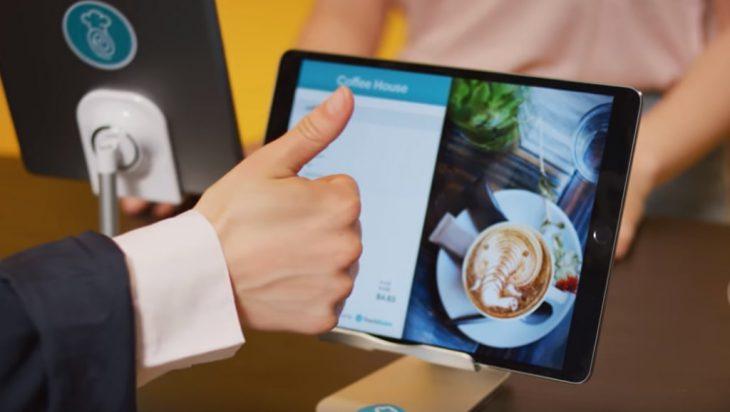
Introduction
If you’ve ever swiped a card, tapped your phone, or handed over cash at a store, you’ve interacted with a POS. But what exactly is a POS, and why is it so important for businesses today?
A POS — short for Point of Sale — is the place and system where customers complete their purchases. In modern retail, hospitality, and service industries, it’s much more than just a cash register. POS systems now integrate inventory management, sales tracking, customer relationship management (CRM), and analytics — making them the central hub of business operations.
POS Definition
A Point-of-Sale (POS) is:
The location and technology where a transaction is completed, involving the calculation of the total, processing of payment, and recording of the sale.
Key components of a POS:
-
Hardware: Devices such as touchscreen monitors, barcode scanners, receipt printers, cash drawers, and payment terminals.
-
Software: The program or app that runs the transaction, tracks inventory, and generates reports.
Types of POS Systems
Modern POS systems come in several forms:
1. Traditional POS
-
Found in brick-and-mortar retail stores.
-
Often installed locally on a computer or server.
-
Requires physical hardware like cash registers and printers.
2. Mobile POS (mPOS)
-
Runs on smartphones or tablets.
-
Portable, great for events, food trucks, and mobile businesses.
-
Usually cloud-based for easy access.
3. Cloud-Based POS
-
Accessible from anywhere via the internet.
-
Updates in real time across multiple locations.
-
Requires less upfront cost compared to traditional systems.
4. Self-Service Kiosk POS
-
Allows customers to place and pay for orders without cashier assistance.
-
Popular in fast-food restaurants, airports, and cinemas.
How a POS Works (Step-by-Step)
-
Initiating a Sale – The cashier or customer scans items or selects services in the POS software.
-
Calculating the Total – The system applies taxes, discounts, and promotions.
-
Processing Payment – Accepts cash, credit/debit cards, mobile payments, or gift cards.
-
Completing the Transaction – Generates a receipt (printed or digital) and updates inventory.
-
Recording Data – Logs the sale for reporting, accounting, and stock management.
Key Features of Modern POS Systems
A POS in 2026 is more than a payment tool. Top features include:
-
Inventory Management – Tracks stock in real time, alerts for low quantities.
-
Sales Reporting & Analytics – Monitors trends, best-selling items, and peak hours.
-
CRM Integration – Stores customer data for loyalty programs and marketing.
-
Multi-Channel Sales Support – Syncs online and in-store sales.
-
Employee Management – Tracks working hours, sales performance, and permissions.
-
Advanced Payment Options – Supports contactless, QR codes, and BNPL (Buy Now, Pay Later).
Benefits of a POS System
-
Efficiency – Speeds up checkout and reduces errors.
-
Accuracy – Automatic calculations prevent pricing mistakes.
-
Better Decision-Making – Data analytics help businesses adapt quickly.
-
Improved Customer Experience – Faster service and personalized promotions.
-
Scalability – Easily add locations, products, and staff.
Choosing the Right POS System
When selecting a POS for your business, consider:
-
Business Type (Retail, Restaurant, Service)
-
Budget (Upfront cost vs. subscription model)
-
Integration Needs (Accounting, e-commerce, CRM)
-
Ease of Use (Training for staff)
-
Support & Security (24/7 customer service, data protection)
Final Thoughts
A POS system is no longer just a way to take payments — it’s the central nervous system of your business. Whether you run a coffee shop, an online store, or a multi-location retail chain, the right POS can boost efficiency, improve customer satisfaction, and drive growth.